Top 7 Plugins For Revit
Revit has been replacing AutoCAD as the industry standard software all around the world. As the complexity of design increases, plugins have become more of a ne

Revit has been replacing AutoCAD as the industry standard software all around the world. As the complexity of design increases, plugins have become more of a necessity in recent times. Enthusiastic computational designers are coming up with incredible user friendly plugins to make your modeling easier and more accurate. They tend to automate tasks, assist design visualization, create parametric driven design models and much more. Here are the Top 7 Plugins For Revit.
Control your Revit data with precision and speed
Top 7 Plugins For Revit
The following are the most popular plugins used in the Industry.
1. Lumion Live Sync
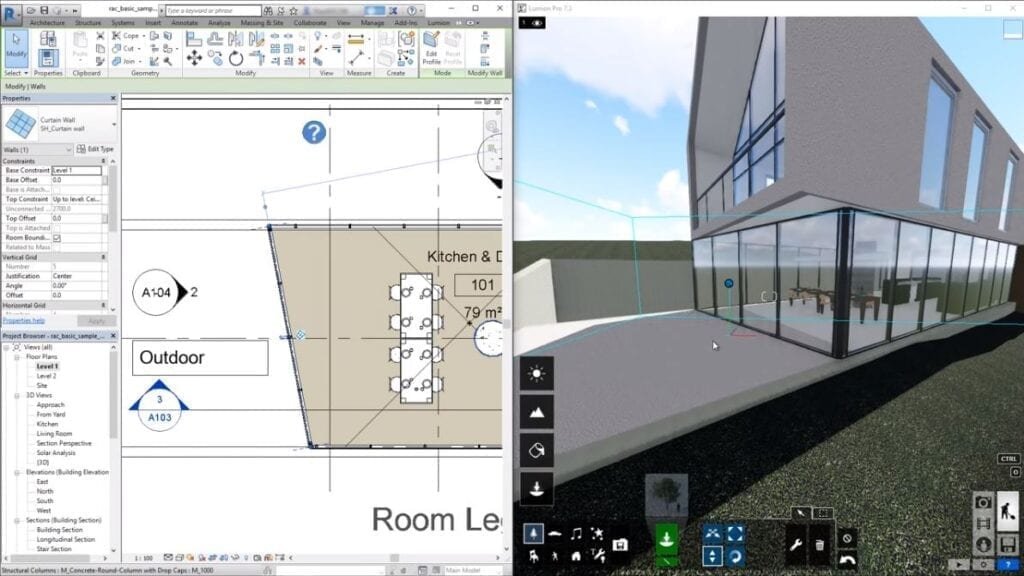 Courtesy of Lumion This plug in lets you set up a real time render visualisation between revit and lumion. As and when you make and changes on revit , you can simultaneously view your project on lumion as it adopts these changes and produce an instantaneous render. It also has real-time material synchronization that lets you tweak the materials on revit and save your material layout for future renderings. Apart from that it also enable live point of view synchronization that adopts the revit camera perspective making your workflow easier and efficient. Owner : Ferry Marcellis Latest Version : 3.60.539 Download : Click Here
2. Coins Auto-Selection Box
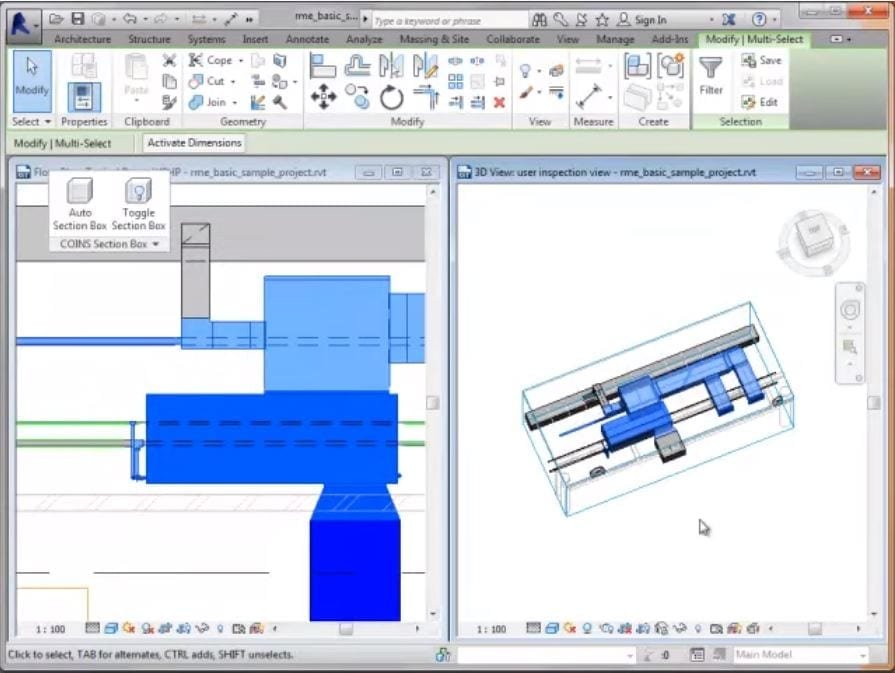 Courtesy of COINS Dallas This plugin gives incredible speed and agility in managing three dimensional views by quickly creating temporary and permanent views to be used for immediate visualization of the model or for the construction document deliverables. The plug in includes various features such as working with linked files, aligning selection box to walls, members or other line based geometry, option to create new views, special handling of grids, section lines, elevation markers and much more. Owner : Larry Sullivan Latest Version : Version 6.8 Download : Click Here
3. Pro Sheets
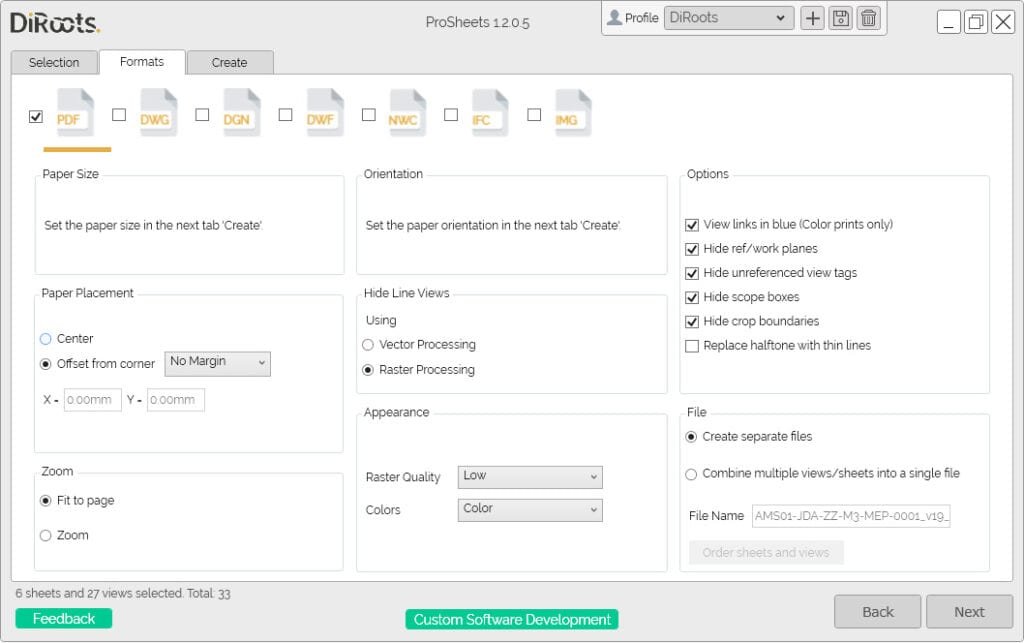 Courtesy of Autodesk App Store DiRoots weaves extensive knowledge of BIM processes customized to one’s unique design requirements. Pro Sheets is a free Revit plugin that allows you to bulk export views/sheets to PDF, DWG, DGN, DWF, NWC, IFC, and IMG (JPEG, PNG, TIFF, etc). Compatible with Autodesk Revit 2016 to 2021. Owner : José Oliveira Latest Version : Version 1.2.3.0 Download : Click Here
4. Align
 Courtesy of Autodesk App Store The Align tool allows you to align, distribute or organize selected elements, annotations, tags and text along the axis specified. The Align tool is a time saver when working on large complex drawings with large sets of annotations involved. It automatically places the tags at the current view port. Owner : Simon Moreau Latest Version : Version 1.5.0 Download : Click Here
5. Palladio X BIM Windows Layout
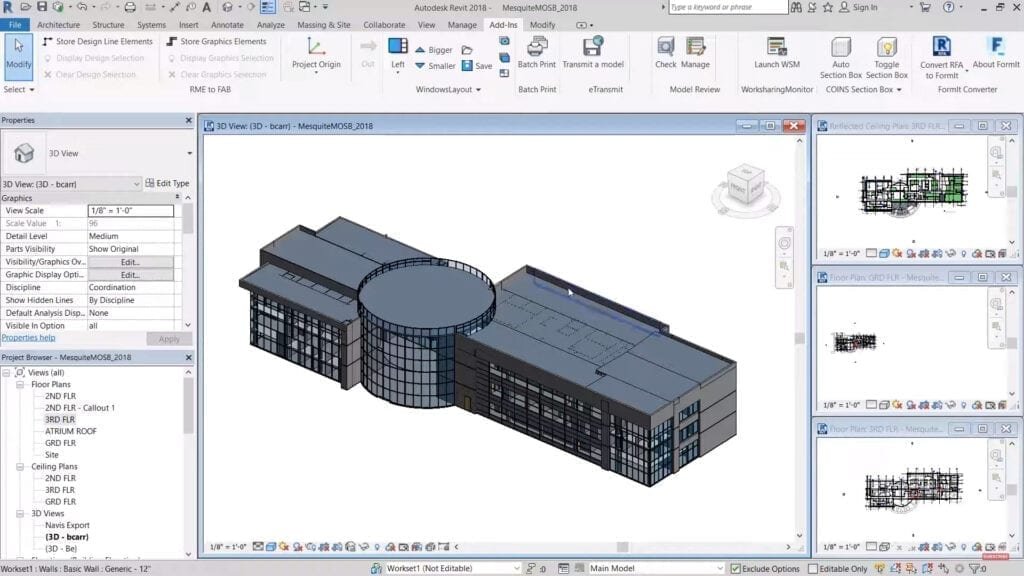 Courtesy of Belinda Carr Palladio allows Revit to maximize screen space for open viewports, resulting in increased efficiency when it comes to modeling a building and documentation. The built-in window arranging tool only lets one tile or cascade windows, Palladio X BIM enables the active window to get more screen space as compared to the inactive windows. It also lets the user save or restore the window configuration as and when required. Owner : Mensch und Maschine acadgraph Latest Version : Version 1.0.6 Download : Click Here
6. Color Splash
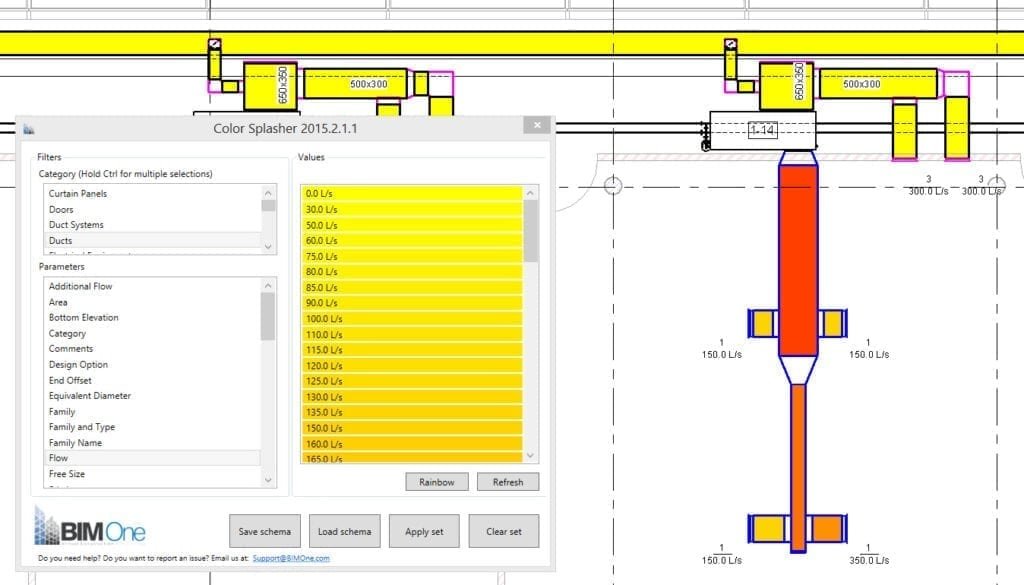 Courtesy of Autodesk App Store Color Splasher is a tool developed by BIM one that allows one to graphically visualize and verify the information in a model with color. It lets the user filter, select, and color elements based on the values of a defined parameter to let one visualize if there are errors or lack of information. The user first selects the desired category, selects a parameter and then sets color for each value of this parameter accordingly. Owner : Jimmy Plante Latest Version : 21.0.0.0 Download : Click Here
7. Py Revit
 Courtesy of Py Revit Py revit is a rapid-prototyping tool that lets one quickly sketch out your automation and add-on ideas inside Revit using its API. With a set of working tools it allows a creation of tabs in Revit accustomed to company standards and internal processes. Py revit lets you write your own Revit addons, manage and distribute tools to your teams using a unified interface and much more. Owner : Ehsan Iran-Nejad Latest Version : pyRevit v4.8-beta4 Download : Click Here
Conclusion
These plugins for Revit offer some clear benefits interacting with Revit’s Application Programming Interface (API). It’s extremely user friendly and saves time in carrying out multiple operations which in turn boosts your speed in modeling and documentation. They have a vast array of features and we can definitely vouch for the high quality output each of them have to offer. Click here to listen to our top episode on Archgyan The Archgyan Podcast is sponsored by our Courses. Sign Up Now to start your Architecture & Interior Design Journey.